
Congratulations on taking your first step toward getting free and cheap TV entertainment, as well as lowering the cost of Internet access and cellular service!
I’d like to help you save money by replacing cable TV, satellite, and expensive streaming services with free broadcast TV and affordable and free streaming services tailored specifically to your needs. The techniques I present on this site are completely legal.
If you’re spending more than you’d like on cable, satellite, or streaming services, keep reading below. Many folks like me spend about zero dollars per month on TV entertainment.
If you’re paying more than $50 per month for Internet access, check out this article.
If you’re paying more than $20 per month for your cell phone plan, check out this service!
Taming Your TV Bills
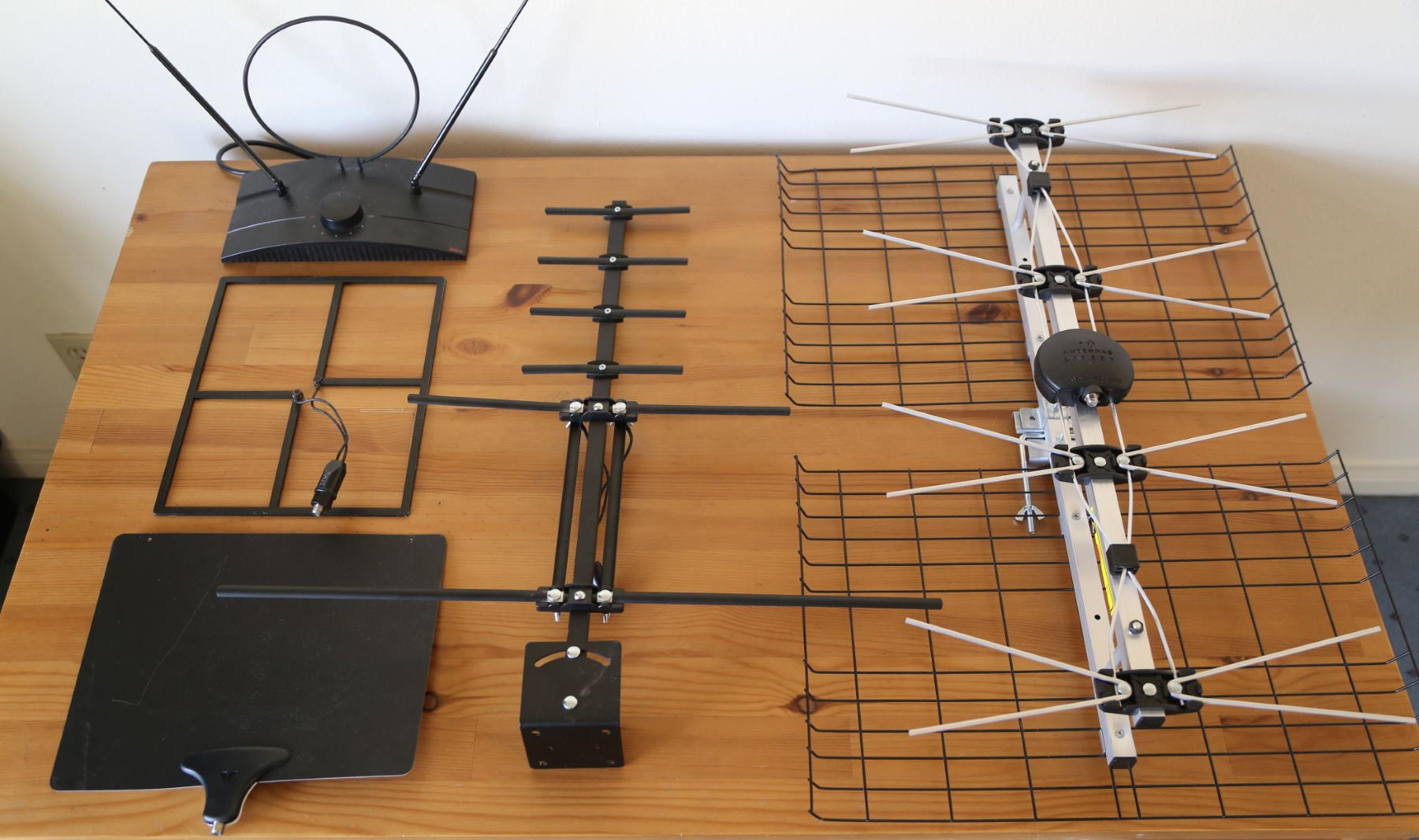
The first part of the solution to the ridiculous cost of cable, satellite, and some streaming TV services is to use FREE broadcast digital TV using an antenna like one of the ones below. If you live near or in a decent-sized metropolitan area, you should be able to get most of the network channels (ABC, CBS, NBS, Fox) plus PBS and local stations with an inexpensive indoor antenna.
The next step part of the solution is to utilize free streaming TV services that you can access on your smart TV or an inexpensive streaming device like a Roku or Amazon Fire TV. I explain all of this on DisableMyCable™.
Finally, for the remaining channels, you can use low-cost streaming services like Sling or Philo TV. I occasionally splurge for a movie on Amazon Video.
Are you ready to begin? Keep reading!
Step 1: See If You Can Get Free Broadcast Digital TV
If you live near a major metropolitan area in the United States, you should be able to receive most of the network channels (ABC, CBS, NBC, FOX, CW), plus PBS and local stations in hi-def using an antenna. It’s called broadcast digital TV. I was able to get thirty channels total in Providence, RI, and now over 100 in Los Angeles, CA. It takes a little work to set up, but I’ll guide you through it.
To see which channels you can get using an antenna, click the big Station Finder button below and enter your zip code.
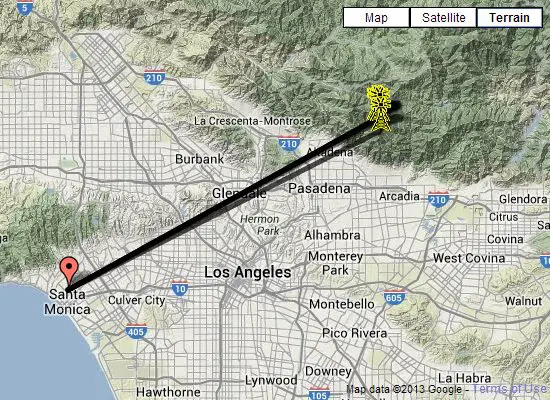
You will see a map of your area like this one. Wait a few seconds for the colored list of stations to appear on the left. You should be able to pick up the green and yellow channels with a good indoor flat antenna. The ones in orange will probably require an outdoor antenna. The list is not exact but will give you a ballpark idea of the number of channels you should be able to get.
Help with TV Reception and Lost Channels
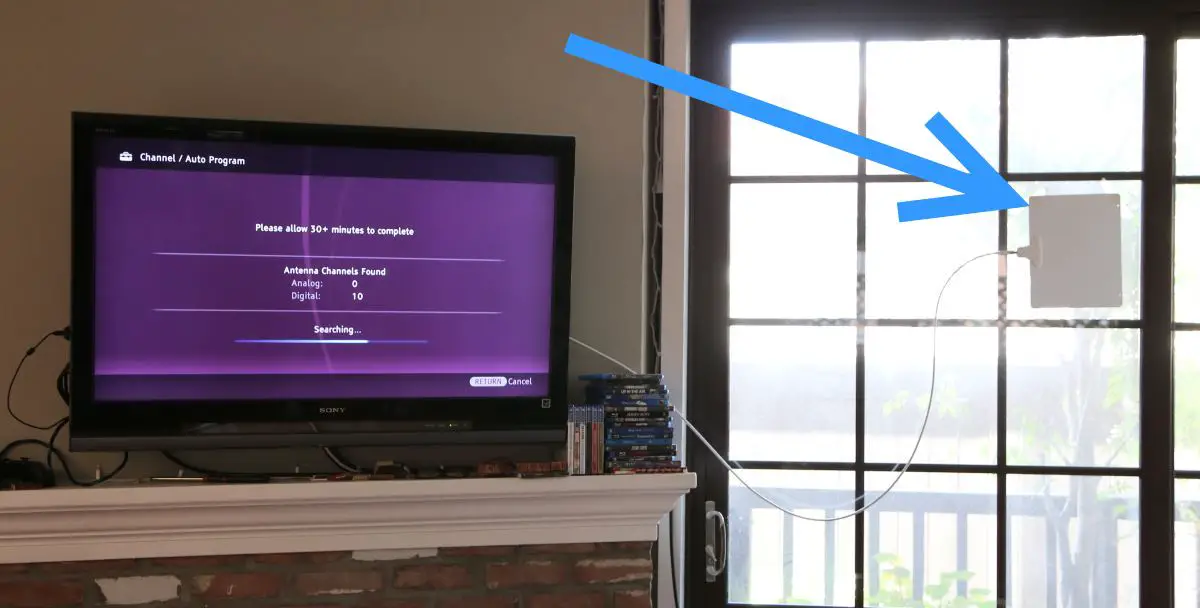
One of the biggest problems people ask me about is why they lost TV channels and what they can do about it. Read what to do if lost channels after re-scanning, or if you lost channels for no apparent reason.
If you have flaky channels, check out my comprehensive list of fixes in this article:
If You Have an Old Analog Tube TV
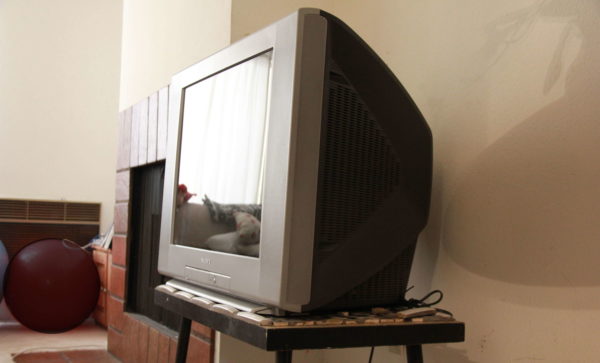
If you have an old analog tube TV like the one above, you can still get free TV using an antenna. You’ll need to get a converter box to do it.
Step 2: Try These Free Streaming Services
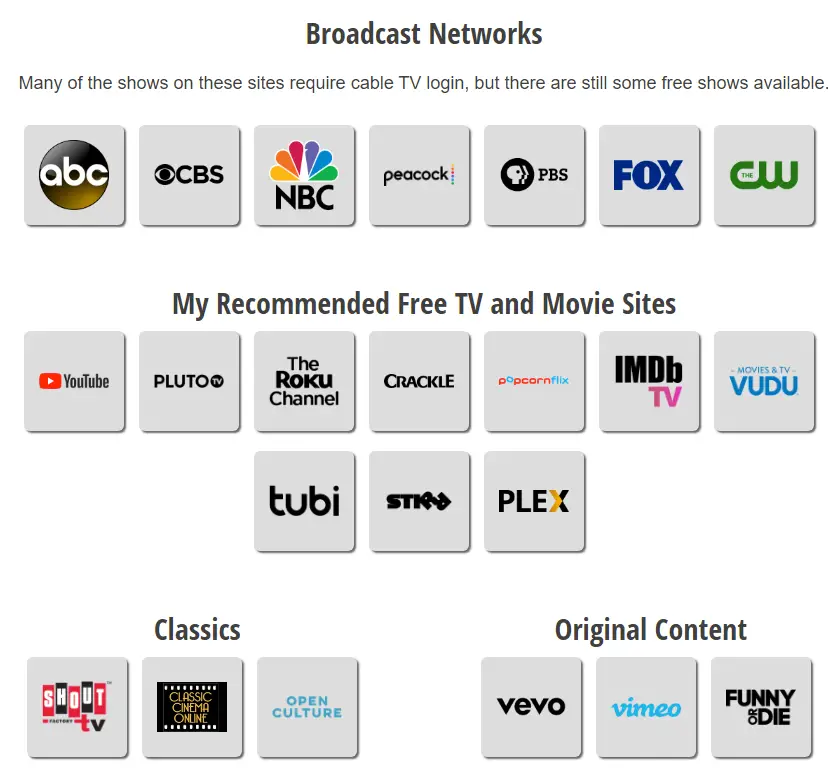
There are so many great FREE streaming TV services now like Pluto TV. Even YouTube has great content, totally free. Everyone who is looking for TV and movie content should check out my recommended free streaming services.
I’ve assembled the best streaming TV services on the Internet and put them on one easy-to-use page – your Internet “Remote Control”!
Your smart TV has many streaming services built in. Or, you can buy an inexpensive streaming media player to watch services like Netflix, Hulu, Sling on your TV. These all require an Internet connection.
There are many streaming devices available, including Amazon Fire TV, Apple TV, and Chromecast. But the one that I am recommending for most people is Roku. It offers the most channels, voice search across many content providers, and headphone output, all at a reasonable price. Read my full Roku review here, or more about all of the streaming devices I’ve reviewed:
Step 3: If You Need Cable Channels, Try These Affordable Streaming TV Services
Using an antenna is great for getting your local stations plus the major networks and PBS. But what if you need certain cable TV channels like AMC, ESPN, or HGTV?
Happily, there are now many streaming TV services offering cable channels. Cost can be a lot less than cable or satellite, and you can watch the shows on your computer, tablet, or phone, or on your smart TV or regular TV using a streaming device.
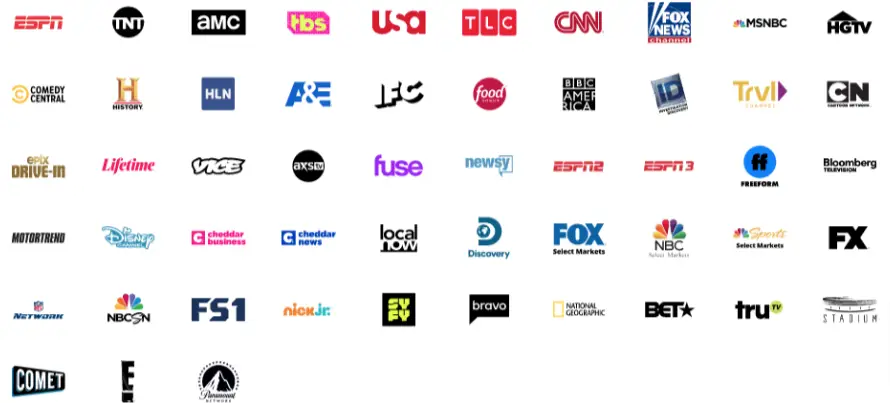
One of my recommended streaming services is Sling TV, which has plans starting at $30 per month. You can get all of the channels below for $45 per month:
Disclosure: Some of the links on this page are affiliate links. This means if you click on the link and purchase the item, I will receive an affiliate commission at no extra cost to you. I test or research each product or service before endorsing. This site is not owned by any retailer or manufacturer. I own this site and the opinions expressed here are mine. As an Amazon Associate, I earn from qualifying purchases.
So, by using an antenna to get the networks and local channels for free, combined with a low-cost streaming service like Sling TV or Philo TV, you have an impressive package of channels for a fraction of the cost of cable! And there is no contract, and no dealing with the cable company!
If you can’t get the networks using an antenna, don’t fret, there are services that offer live TV channels for you. For more information on all of the options, check out my page on streaming services.
How to Record Broadcast (Over-the-Air) TV Shows
If you want to record shows that you watching using your antenna, you’ll need a broadcast TV DVR. There are many on the market. Read my DVR guide for the one that is best for you!
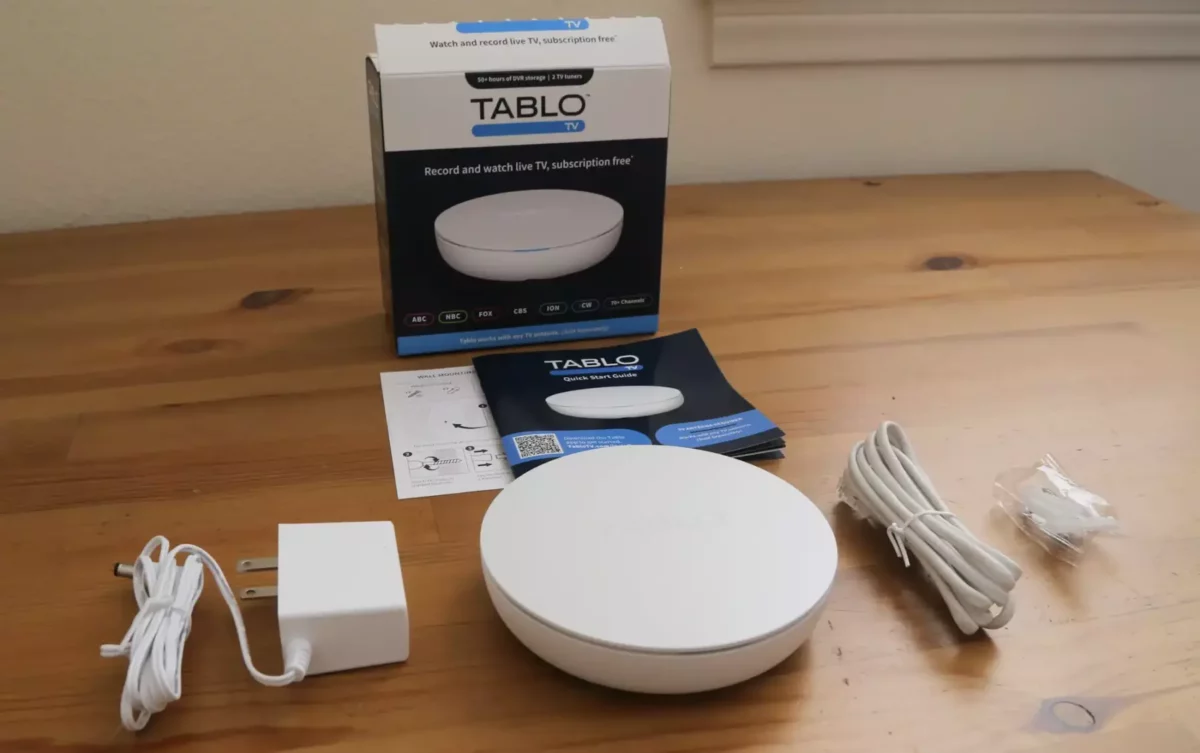
If you want to cut to the chase, my current #1 recommended DVR for most people is Tablo Generation 4!
Lowering the Cost of Internet Access and Cell Service
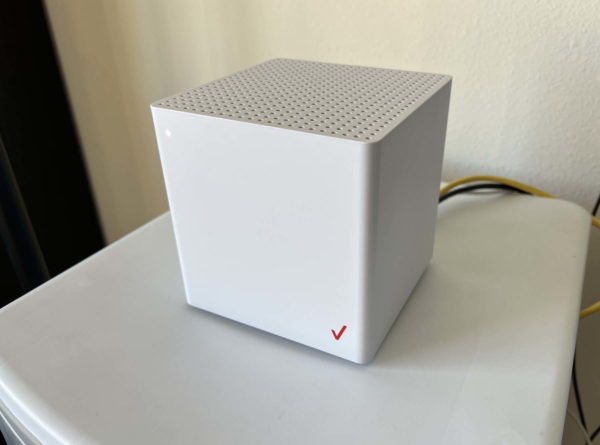
Now that so many people have abandoned cable and satellite TV, cable companies have jacked up the price of Internet access. Fortunately, now there are alternatives to residential cable TV providers that offer the same or better service and lower prices! I’ve cut my monthly cable bill from $80 to $50 by switching to 5G Home Internet:
Similarly, I was paying $55 per month for my cell phone service. At the time I thought it was a pretty good deal. Then, I found a carrier that got me more monthly data at the insanely low cost of $15/month!
My Story
I was a loyal cable TV customer for all of my adult life, paying about $34/month for basic cable (which sounds ludicrously cheap now). Then I moved to a different city where the cost was $52/month for basic cable. I paid it and figured, “Well, that’s just the cost of getting TV”. More and more, however, I realized that I wasn’t getting good TV. I was just surfing through the channels over and over looking for good TV. Then, my 6-month “introductory cable rate” ended and my cable bill went up to $57/month. Sure, it was only a few dollars more, but that was the last straw. After a few months of putting up with the higher cost and lack of good shows, I decided to “Disable My Cable” and try broadcast digital TV. The first thing I tried was an old rabbit-ear antenna that I had from the pre-digital TV days… Read the rest of my story here.


So, I have a U70 Samsung Smart Tv that is NOT compatible at this time with the Tablo total system unit that I bought and have installed and working. Your answer was to buy a ONN box from Walmart but I already have a a Google Chromecast…will that work? Some reviews say no, but I would like your opinion. Thanks, James Thomas. Email: theboss20@me.com. I am a new subscriber.
Hi James,
Google Chromecast is not among the devices listed as compatible to Tablo Gen 4 on their website.
Brian
I would like to use subscription services exclusively. If I purchase a DVR, can I record local programing from subscription services that include local stations? Also, I have 3 TVs, is there a wireless DVR that I can use for all 3 TV’s?
Hi Ron,
Tablo Gen 4 does include some free streaming apps, which you can record. But you cannot use Tablo Gen 4 (or any other broadcast TV DVR) to record other subscription services.
With Air TV and Tablo, you watch your recorded shows using an app on a Roku, Amazon Fire TV, (and other devices). So, as long as you have, say, a Roku, on all of your TVs, you can watch and control your DVRs from any and all TVs in your home.
Best,
Brian
Roku vs. Amazon Fire, do you have a preference?
I personally use Roku but both are fine. If you’re really into the Amazon ecosystem, Fire might be best. Otherwise, Roku. – Brian
Help!
My 1990 Toshiba TV died 2 wks ago, i also have a Series 1 Tivo For Life. After doing my homework i got $1300 LG 48″ 5k OLED for $600. I got a RCA to HMDI converter but it only has 3 port’s my RCA has 5 plugs. I don’t know what to do or how to set up my TiVo. Tivo co doesn’t have employees that deal with a Tivo that old.
Is there any hope?
HI CJ,
It sounds like your Tivo has COMPONENT output, NOT COMPOSITE output. Check out this converter on Amazon and see if it looks like it has the right connectors:
https://amzn.to/3Oui6JM
Best,
Brian
Brian:
Thank you again for your reply. Believe it or not, I solved my problem. Since my 13″ TV with rabbit ears (!) scans and receives all channels with a converter box, I took the “new” RCA converter box I just purchased from the RCA console TV in the Living Room and hooked it up to the 13″. It scanned and saved 94 channels! Including Channel 5! I then transferred the “new” converter box back to the RCA console, and I can now receive all channels except for Channel 11. I now receive some channels that are stored in the “new” converter box that I never knew existed (and they’re English-speaking channels, and not channels that sell things). I plugged the “regular” converter box that was connected to the 13″ back in, and that still works. So now I can receive all channels except for 11 on the RCA console in the Living Room. I can definitely live with that.
Before I had this “bright idea” I had contacted and communicated with a website on-line through chat called JustAnswer. The so-called “expert” didn’t think the “new” converter box would be compatible with the RCA console after the scan off the 13″ because “Resolution now has authentication protocols and security parameters that require a 4k ready antenna and either a 4k to 720 converter or a 4k ready TV.” He suggested I purchase any of those three. I pointed out to him that my 13″ TV has worked just fine with rabbit ears and a converter box, and I also have a 15″ TV also with rabbit ears and a converter box that works just fine. Both of those are Sony TVs. So it turns out that I don’t need what the JustAnswer “expert” says I need, and I am very happy with the result. Thank you very much for your assistance.
Hi Rick,
Great, so glad you were able to solve the problem!!! Thanks for sharing the results!
Best,
Brian
Hello Brian:
I ran across your article dated 10-15-22 on “How to Fix Your Sony Bravia TV When It’s Stuck on a Channel or Frozen” tonight on my cell phone. I have a similar problem, but have a console RCA TV purchased approx. 25 yrs. ago. (t’s solid state (not tube). Consequently, when TV went digital, I bought an RCA analog/digital TV converter box, model DTA-800B. Never had this problem before, but I tried doing a re-scan on 1-1-24 and the scan is stuck on 24 channels found and 11%. It starts saving channels at Channel 7 (ABC). I even bought a newer version of the RCA box, model DTA-800B1, and same result. I did a re-scan on 1-1 because I wanted to watch the Rose Parade on Channel 5. I live in Placentia (Orange County) CA, zip 92870. Interestingly enough, before the re-scan I was not receiving Channel 5, but was receiving Channel 2 (CBS) when pressing 5 on my remote. If I had known this was going to happen, I would not have done the re-scan and watched the parade on another TV. I’ve tried unplugging the set and unplugging the antenna to no avail. My remote does not have a hide channel option. Might you have any advice on how I can scan the remaining channels and save them? At this point I don’t mind not receiving Channel 5. Thank you for your time and assistance!
Regards,
Rick
Hi Rick,
I quickly glanced through the manual for that converter box here and didn’t find a way to hide channels:
https://www.ezdigitaltv.com/RCA_DTA800B1_Manual.html
One thing you could try is to temporarily move your antenna outside, on an upper floor if possible, and pointed toward your TV station antennas (slightly west of due north for you), then do the scan with your antenna getting the strongest signals (assuming you’re not already using an outdoor antenna).
Even though that converter box is “newer”, it still looks outdated. Getting a new modern TV would probably solve these issues.
Best,
Brian
Brian:
Thank you for your very prompt reply. I forgot to tell you what type of antenna I have. It is a widspread “Wineguard”-type antenna, the kind that used to be placed on roofs or chimneys. It is installed in the attic, facing NW. I tried several times slightly turning it, but no success. I also installed an antenna gain box (I’m not sure if that is the correct term), a few years ago to potentially increase the signal. Because the TV and box has worked for many years before, it seems like there should be a way to make it work again. Because the difficulty seems to be with Channel 5, and apparently this has been an on-going issue since at least you wrote your article in 2022, has anyone contacted KTLA or is there anyone there that is trying to correct whatever it is that is causing many people problems?
Also, do you know if they make digital converter boxes that allow channels to be hidden?
Thank you again for your assistance.
Regards,
Rick
Hi Rick
Ah, OK, you’re already using a good antenna in your attic then.
I suspect that even your newer RCA tuner is pretty old. Modern TVs and broadcast TV DVRs won’t have the problem of freezing on certain channels.
The lowest cost tuner/DVR that I’ve tested is this one:
https://www.disablemycable.com/blog/mediasonic-homeworx-digital-converter-box/
It works well but the remote control is finicky; you have to aim it right at the unit for it to work.
But rather than getting that, I would just save up for a new TV, which should solve all of these problems. You might even be able to find one for free on your local Buy Nothing Facebook group, as other people upgrade.
Best,
Brian
Is there a way to connect a Tablo recorder to an LG C3 tv? My Tablo dual hdmi worked fine when connected to an old non smart tv. The new tv does not recognize it – checked for loose wires and tried different hdmi connections. Thanks for any suggestions.
Hi Bryan,
Your best bet would be to call Tablo directly about this problem. You can find their customer service number here:
https://support.tablotv.com/hc/en-us
Best,
Brian
Can you have two Tablo 4th gen at same time and watch recorded shows from each?
Hi Ken,
I think the difficulty would that the Tablo app only supports one account at a time (as far as I know). I guess it might work if you don’t mind logging out of one account, then logging into the other to watch the other Tablo’s recordings. This might be a question for Tablo support. They actually do answer the phone: https://support.tablotv.com/hc/en-us If you have a chance, let me know what they say; I suspect they say that two Tablos on the same account isn’t really supported, but like I said, I’m not sure.
Best,
Brian
Thank-you. That is what I would think too. So I am buying the quad silicon Dust and will subscribe to TV guide. I just don’t understand why Tablo hasn’t come out with new version of their quad device instead of a dual that only records one stream whole u watch another. Will see if like Silicon Dust and if not may return and try two Tablos. Thanks again. Appreciate ur blog
Hi Ken,
I believe Tablo is working on a 4-tuner version but no idea of any launch date. Thanks for following up!
Best,
Brian
I’ve been a Slingbox user up until their demise and replaced it with an Amazon FireTV Recast. Now that the FireTV Recast is discontinued, I’m looking for an alternative for remote viewing of OTA local live TV.
I saw your review on the new version Tablo, but noticed you mentioned no remote viewing support. Was that for the remote viewing of recorded DVR content or Live TV broadcast? My main purpose of having the Slingbox and Fire TV recast was to watch live TV outside of the house.
Hi Rocky,
With the Tablo Gen 4, you can’t watch recorded or live TV when away from home.
With AirTV, you can though:
https://www.disablemycable.com/blog/airtv2/
Best,
Brian